Quick Start Guide
Go from a mentor conversation to your child’s first personalized lesson, one clear step at a time.
Start with one learner and one subject. You can make meaningful progress before entering an email or creating an account.
Start your 14-day free trial or sign in if you already have an account.
What you will finish: a parent-owned learner setup, a confirmed starting point, personalized curriculum, and a lesson your child can open.
Take Five Minutes to See What You Are Setting Up
The short introduction shows where your child will begin and how lessons are organized. You can watch TheHomeschoolingCompany.com Intro and Demo on YouTube now or follow the written steps below.
Before You Begin
Have your learner’s first name, age or grade, and the first subject in mind. You need an email and password only when you ask the platform to generate curriculum. A phone number is not required in this flow.
1. Tell the Mentor About Your Learner
Open the guided setup and answer in everyday language. The learner remains draft curriculum context at this stage, not an account or login.
- Share the learner’s first name and age or grade.
- Choose the subject you want to start with.
- Add only the goals or preferences that materially change the plan.
- Review the mentor’s suggested starting approach.
You will know this step is complete when: you can see the learner, subject, and plan the mentor is ready to build.
2. Confirm the First Subject
The mentor summarizes the learner and selected subject before generation. You can edit either choice, and the setup is saved in the same browser.
You will know this step is complete when: the summary names the learner, subject, and personalized opening curriculum.
3. Save the Setup With a Parent Account
Choose Start your 14-day free trial when the summary is right. This is the generation boundary: after signup, curriculum generation requires active access or a 14-day trial with $0 due today. Normal billing begins after 14 days.
The Parent account becomes the owner of the saved setup. A separate learner login can be added later from the normal Parent workflow if the family needs one.
You will know this step is complete when: the setup returns after signup and curriculum generation begins automatically.
4. Let the Curriculum Build
TheHomeschoolingCompany now turns the information you provided into an actual course: a sequence of lessons, projects, and concepts built around your child’s starting point.
- Keep the curriculum-generation page open while the first course is being prepared.
- When the course is ready, open the learner dashboard.
- Choose the first lesson. After that, the Continue Lesson button will show your child where to pick up next time.
You will know this step is complete when: the first lesson opens. Your child can begin learning; setup is finished.
If generation appears stuck or the completion status feels unclear, leave the page open and email Andrew at andrew@thehomeschoolingcompany.com. He can help you continue from the current step.
One Real Lesson Is Enough
Your first-day finish line is one open lesson. Once both of you understand the rhythm, the next subject and the next school day will feel much simpler.
If You Are Stuck, the Instructions Need to Be Clearer
Email andrew@TheHomeschoolingCompany.com directly. Describe what you see in everyday language. A simple message such as “I am on step 2 and need help choosing what comes next” is enough to start.
Include the numbered step where you stopped and the words you see on the screen. Add a screenshot if taking one is easy for you. For your security, never send your password by email.
What the Finished Setup Looks Like
Your family’s subjects, lessons, and numbers will be different. These examples are here so you can recognize the main places you and your child will use after setup.
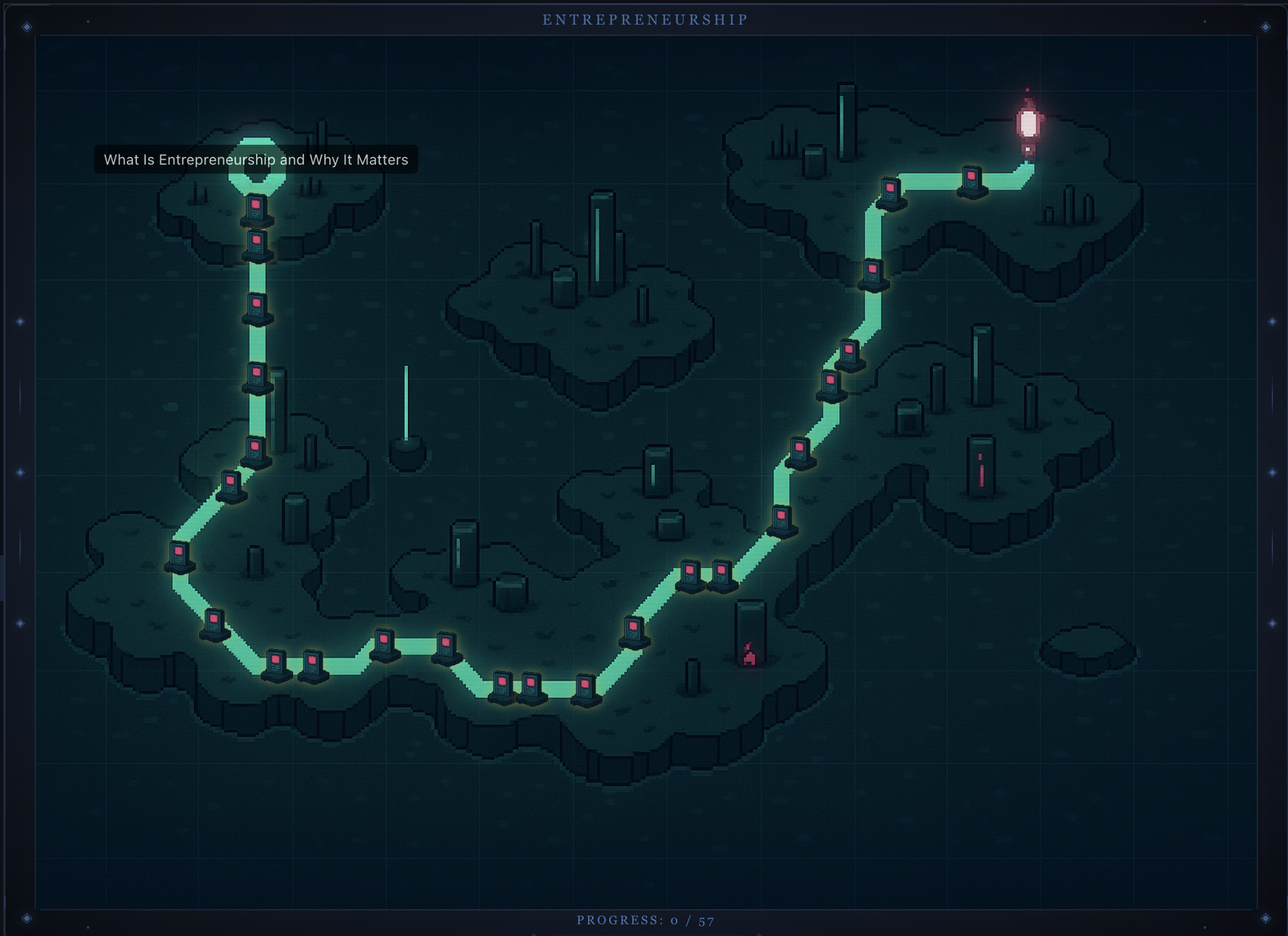
Your child’s home base: the next lesson, current subjects, and a clear place to continue from day to day.
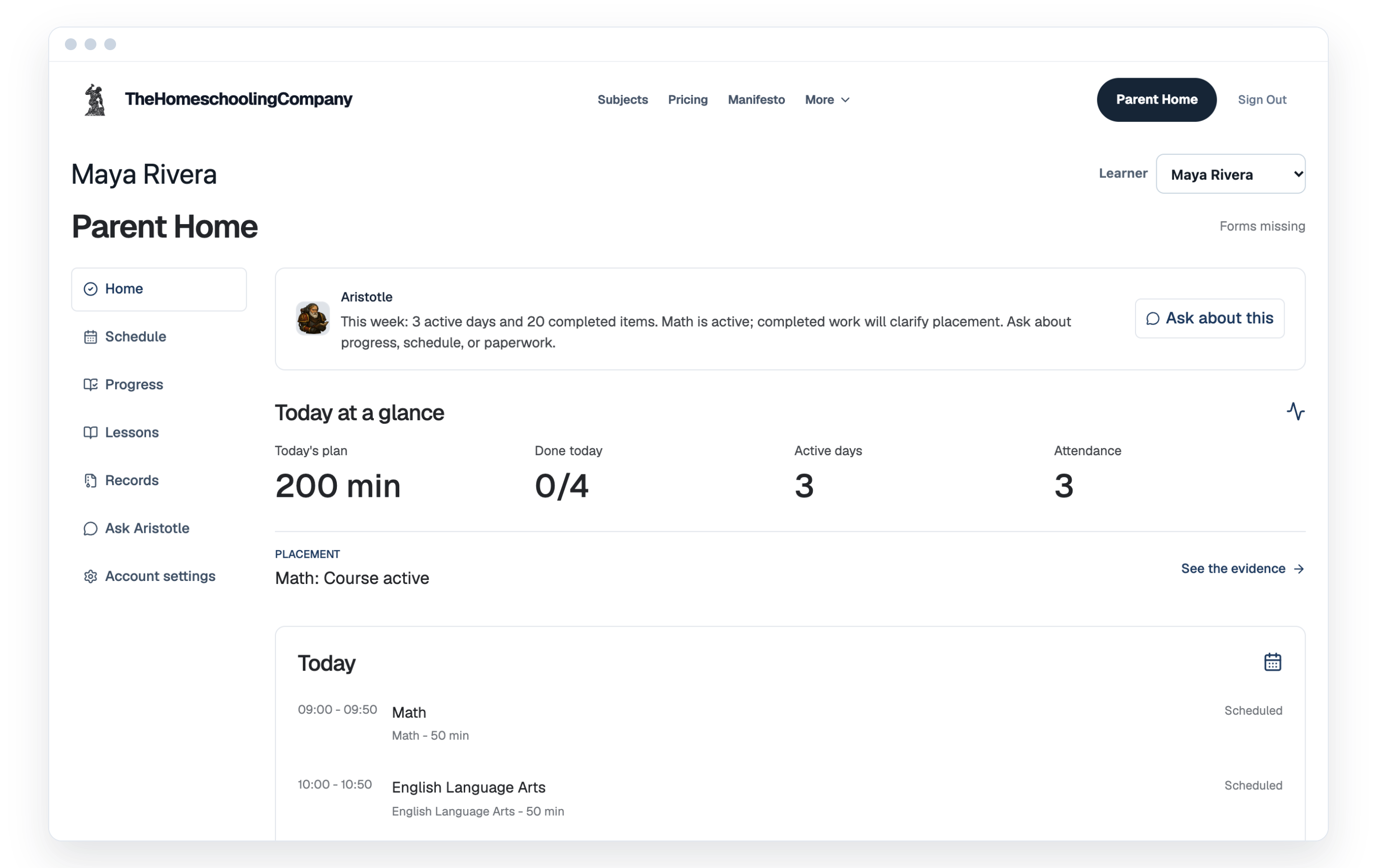
A separate view for the daily plan, completed work, progress, and records, all connected to the learner’s account.
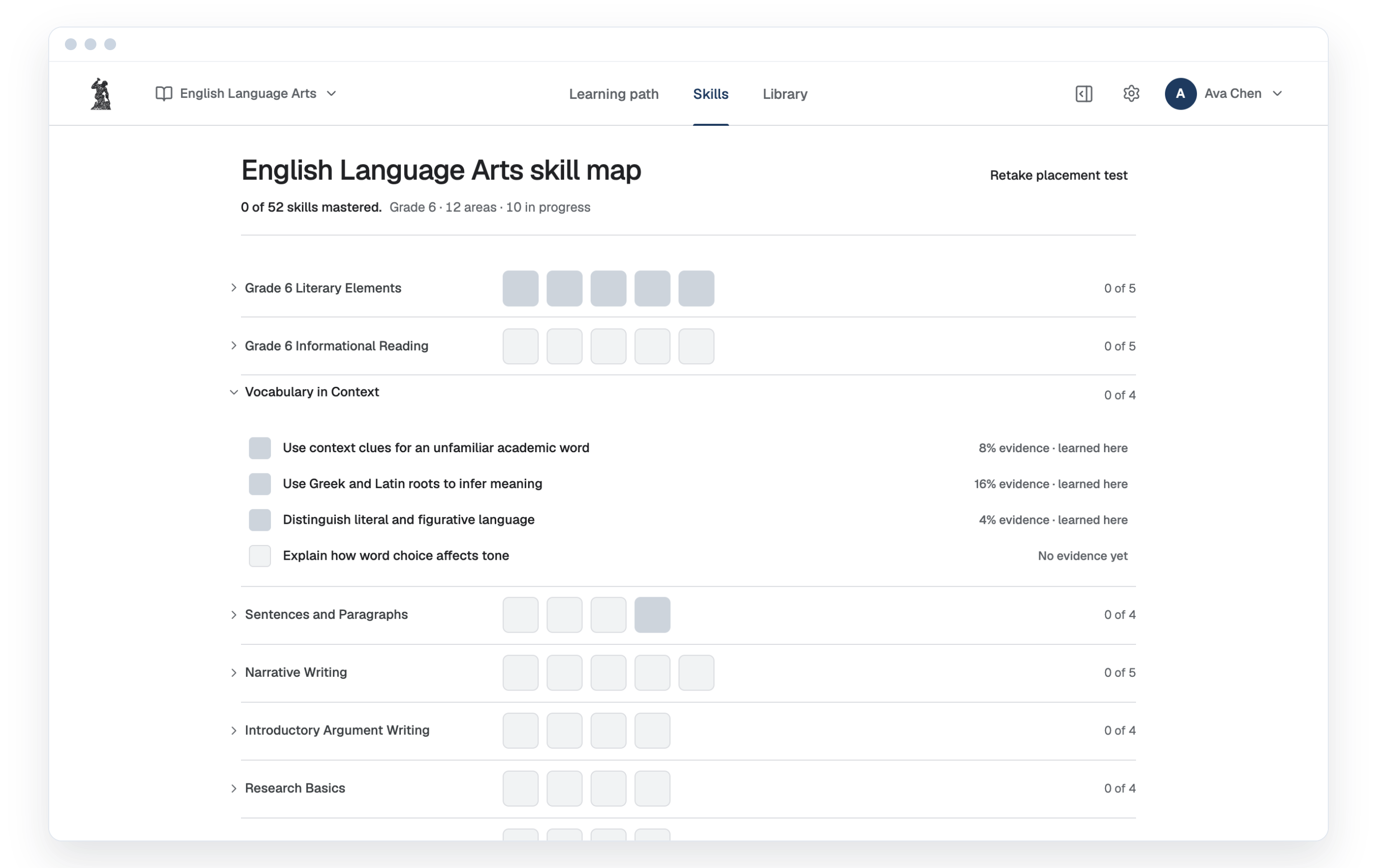
A visual record of each skill your child has covered, what is still developing, and how much evidence backs it.
You Only Need to Take the First Step
Start your 14-day free trial. This guide will still be here, and Andrew is one email away whenever you need a clearer explanation.