Homeschool Schedule Generator
Plan your school days, adjust the subject blocks, and print a week that fits your family. Try the same schedule editor used in our Parent Dashboard.
Before you finish the week
Clear any overlap
If blocks overlap, the editor shows which times conflict so you can adjust them before finishing.
Finish and print
Finish with your name and email, and print the whole week. This page does not save the schedule after you leave, so keep a printout.
How a schedule works with our courses
In our curriculum, each child has a saved schedule shared between their learner account and your Parent Dashboard. You can both adjust it with this editor.
Each subject block fills with the next lesson, unlocked work, or open project from that child's course. Your child sees what to work on, and you see the plan and their progress for the day.
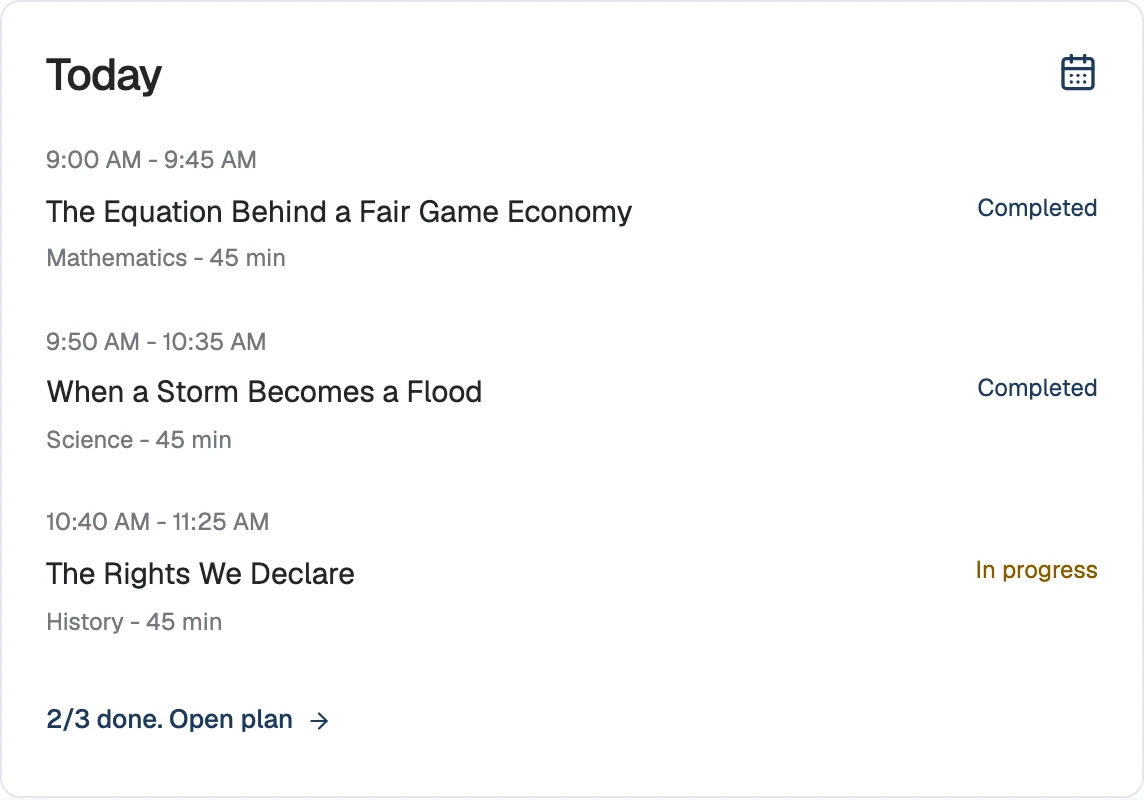
Attendance alongside the plan
Your child's daily check-in records attendance; adding a subject block to the schedule does not. You can export recorded days and minutes in the learning summary PDF.
Some states set a minimum number of school days or hours. The homeschool requirements checker shows the rule for your state, so the week you plan here can meet it.
Frequently asked questions
- Can I plan school on weekends?
- Yes. You choose which days to use, including Saturdays and Sundays.
- Can I make schedules for more than one child?
- Yes. Finish and print one child's week before building the next. In our curriculum, each child keeps a separate saved schedule.
A weekly plan with the lessons included
Try your planned week with the lessons included in the 14-day trial.
$149/month per child after the trial.